In this article:
Introduction
CueApps View Information
Introduction
In the CueApps view you can monitor the status of any CueApp devices connected to the CueApp Server. CueApp devices might be tablets or mobile phones, running the CueApp mobile application made for the iOS and Android operating systems. Hover over any of the column headers to get a help tag with a description.
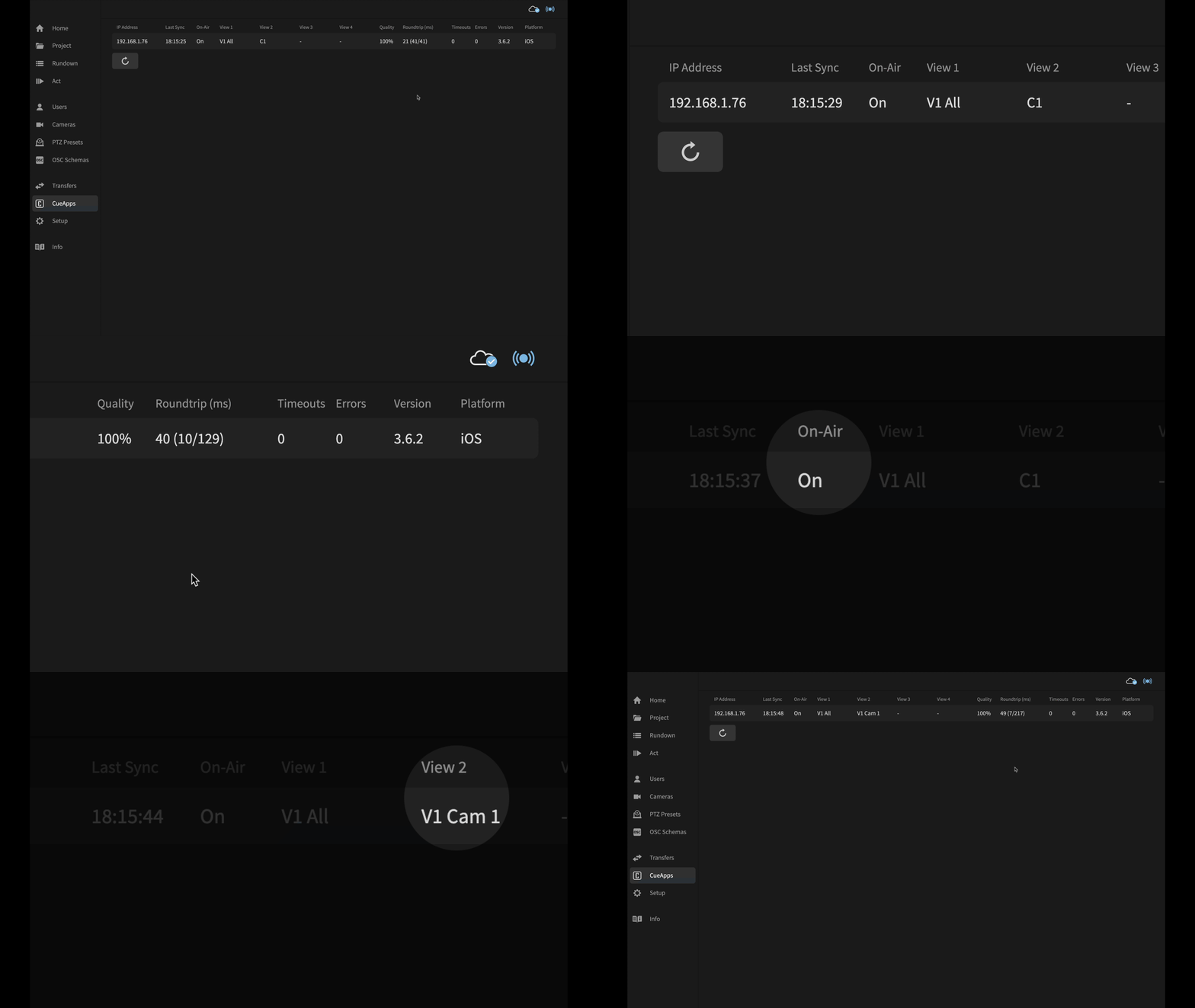
CueApps View Information
The CueApps view is a table, with a row for each connected CueApp device, and columns showing the following information:
- IP address
IP address of the device connected to the CueApp Server. - Last Sync
Time of last sync from CueApp. This column will become red is the CueApp has stopped communicating with the CueApp Server. - On-Air
Is CueApp in On-Air mode? If it is, then 'On' will be displayed, if not, then '-' will be displayed. - View 1, View 2, View 3, View 4
Which views are shown in CueApp, and how are they configured. Possible views are:
Vision 1,2,3,4 and the cameras that are enabled. i.e. 'V1 All' for Vision 1 All cameras, or 'V2 Cam 7,8' for Vision 2 Cameras 7 & 8.
Lyrics 1,2,3,4 i.e. 'L1' for Lyrics 1.
Cues 1,2,3,4 i.e. 'C2' for Cues 2.
If a view is not in use on CueApp then that column will have '-' displayed. - Quality
Quality of the connection. - Roundtrip (ms)
Current roundtrip time in milliseconds, with the best and worst roundtrip times also shown in parentheses. i.e. ’50(5/200)’. A roundtrip is the time it takes from when the CueApp requests an update until the CueApp Server has replied. - Timeouts
Number of timeouts. - Errors
Number of errors. - Version
Version number of the CueApp installed, i.e. '3.6.2'. - Platform
Platform of the CueApp installed, i.e. 'iOS' or 'Android'.

The devices running CueApp need to be running version 3.6 or later to display all the information possible. Older versions of connected CueApps will only show limited information.
Learn more:
CueApp Server...