In this article:
Introduction
CueApp Studio for Android
CueApp Cloud for Android
Introduction
To access the latest features of CuePilot 7 such as the Notify Track you need to use CueApp 4. This update will be coming soon to the Android Play Store. Currently CueApp 3.4.5 is available on the Google Play Store and supports the majority of CueApp's features with the exception of Notify Tracks.
To access the features right away, you can use CueApp through your mobile browser on Android.
There are different ways to access depending on whether you are in the studio connecting to the Studio Server, or if you are accessing the Project via the cloud away from the server.
CueApp Studio for Android
When you are at the studio, connect CueApp directly to the Studio Server where the CueApp Server feature is running over the local network by visiting the server's IP address followed by the :3000/cueapp in your web browser.
IP:3000/cueapp
For example, if the IP address of the server is 192.168.1.25, visit in your web browser:
192.168.1.25:3000/cueapp
Once you have loaded CueApp through the browser this way, tap the Setup icon and set the IP Address of the server and you'll be able to connect with the Studio functionality.
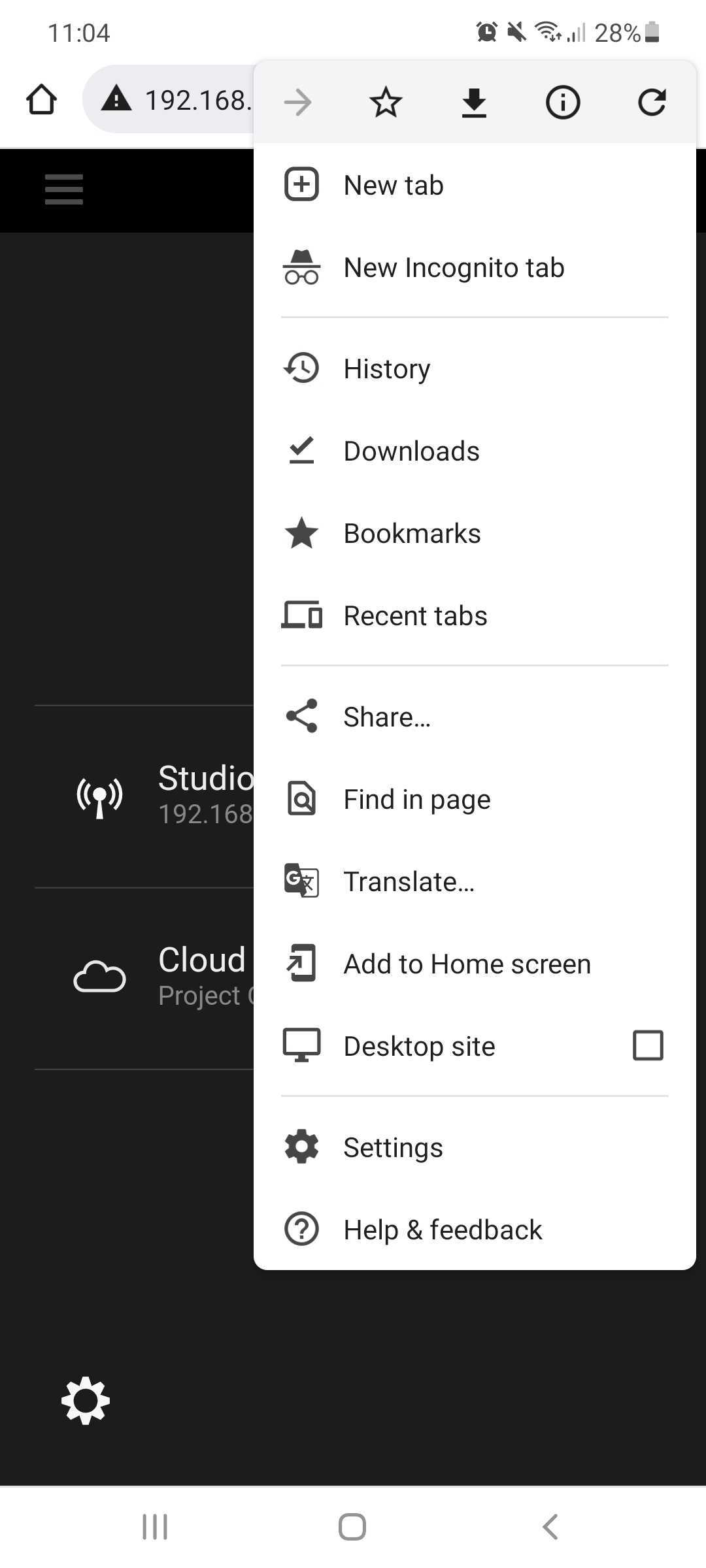
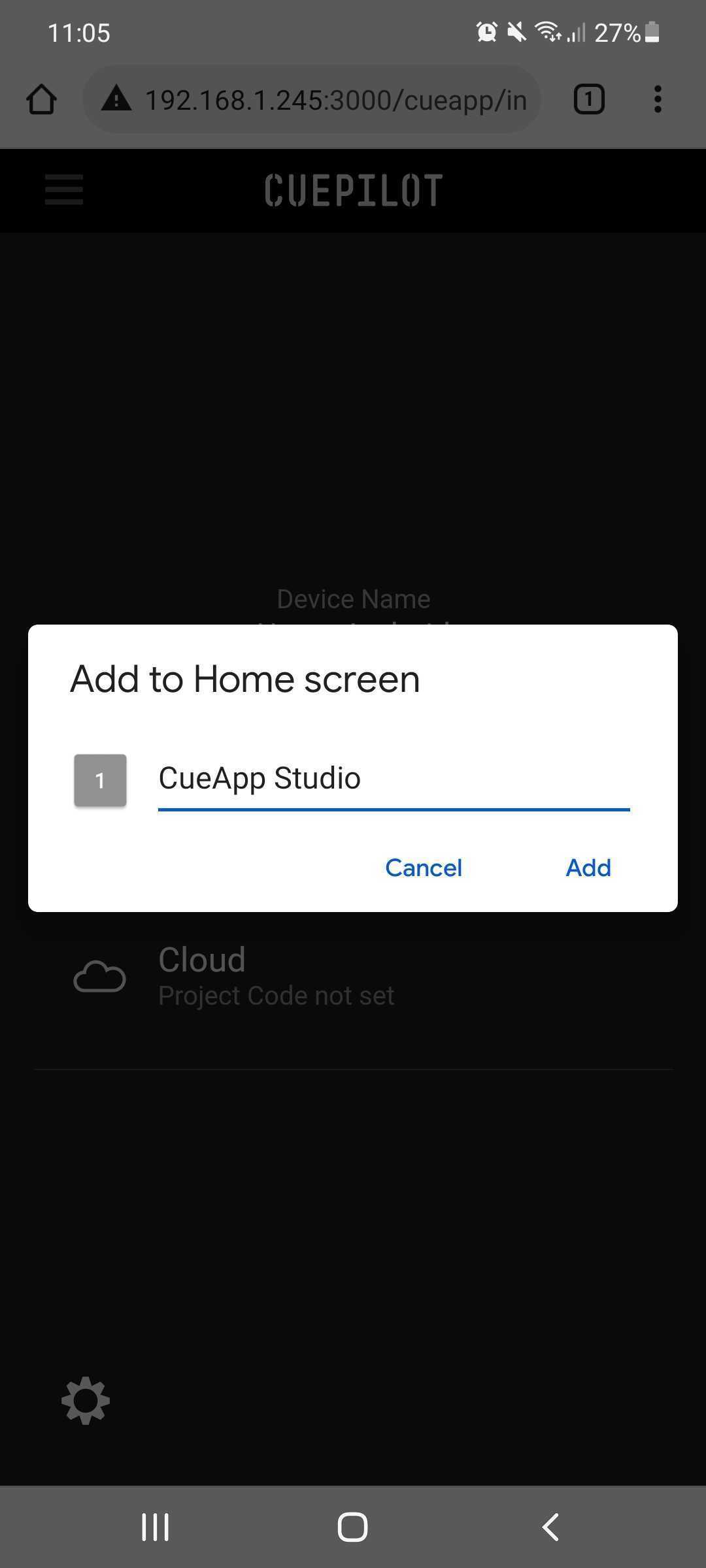
Make it easy to access again by adding CueApp to your mobile device's home screen and labelling it CueApp Studio.
Tip:
CueApp Studio will only connect to the Studio Server and function when it is used on the same network as the Studio Server using the IP address of the Studio Server. When saving the URL of CueApp to your Home screen label it CueApp Studio so you can tell it apart.
Use CueApp Cloud when you're away from the studio.
CueApp Cloud for Android
When you are away from the studio, access CueApp as a web app with the following URL to use cloud mode:
Once you have loaded CueApp through the browser this way, tap the Setup icon and set the Project Code and you'll be able to connect with the Cloud functionality.
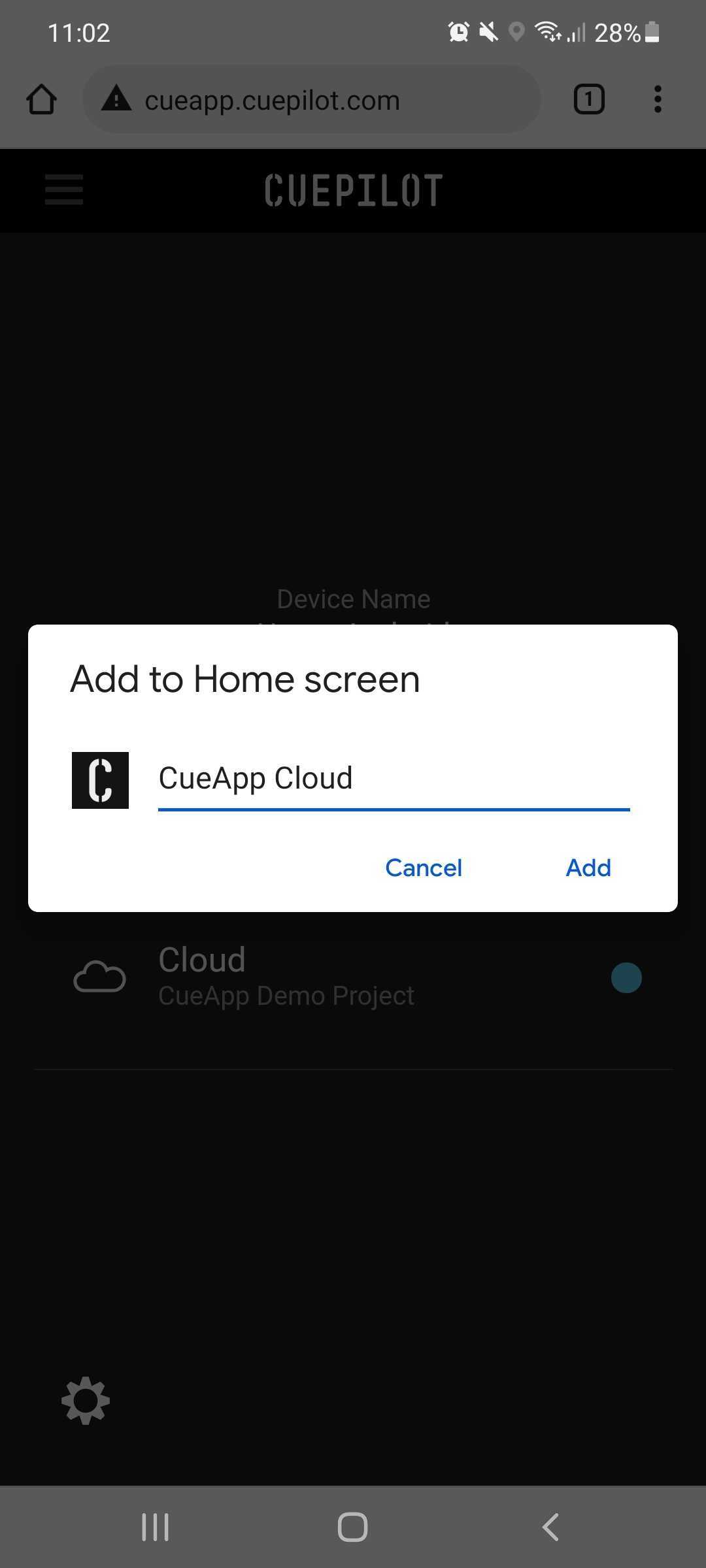
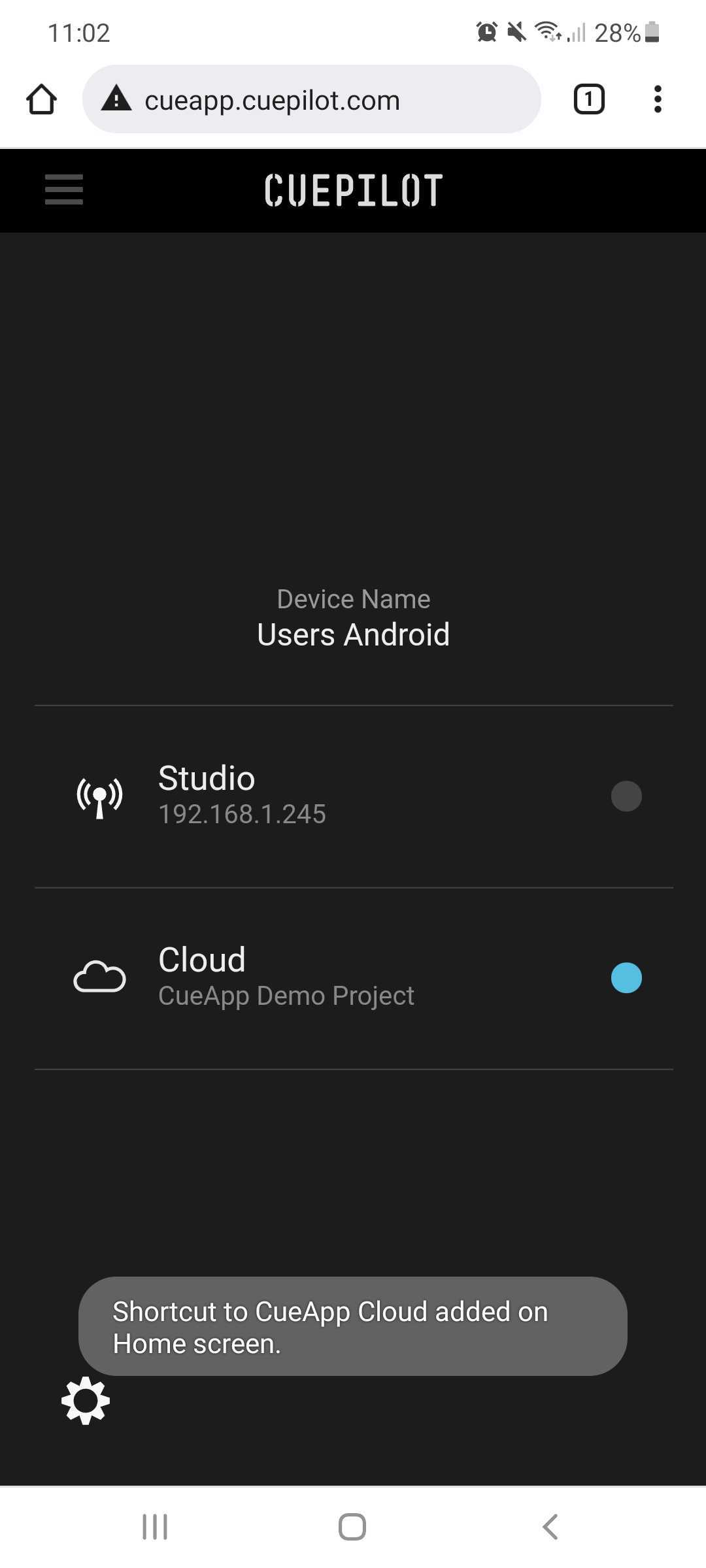
Make it easy to access again by adding CueApp to your mobile device's home screen and labelling it CueApp Cloud.
Tip:
CueApp Cloud is for use away from the studio, such as for reviewing performances and adding notes.
When saving the URL of CueApp to your Home screen label it CueApp Cloud so you can tell it apart.
Use CueApp Studio when you're in the studio to connect to a Studio Server for live studio production.